If you've just unboxed a Dahua camera and can't get past the login page, the answer depends on when your camera was made. This Dahua camera login list covers every current model series, the default usernames and passwords for older hardware, and what the modern initialization flow actually looks like — so you're not stuck guessing.
The short version: newer Dahua cameras don't have a default password. You set one during first boot. Older ones used admin/admin and a couple of other static accounts. Both situations are covered below.
How Dahua default credentials work: legacy vs. modern
Dahua changed how it handles default passwords around 2015. Before that, cameras and recorders shipped with static, well-known credentials. After that, devices require you to create a password before they'll accept any connections.
Legacy Dahua login credentials (pre-2015 firmware)
Older Dahua cameras, including many DVRs, NVRs, and first-generation IP cameras, came with these built-in accounts:
| Username | Password | Access level | Notes |
|---|---|---|---|
admin | admin | Full administrator | Web interface and remote access |
888888 | 888888 | Local administrator | Monitor/direct access only — does not work via web browser |
666666 | 666666 | View only | Live view only, no settings access |
default | default | General | Found on select older models |
The 888888 account trips people up regularly: it only works when you're physically at the recorder with a monitor connected. It won't authenticate through a browser or VMS. The 666666 account is even more limited — live view only, no playback, no configuration.
Modern Dahua login credentials (post-2015 firmware)
Every currently shipping Dahua camera uses a process called initialization on first boot. There's no preset password for the admin account. When you power on the camera for the first time (or after a factory reset), the web interface or ConfigTool prompts you to create a password before anything else works.
The default Dahua username is always admin. The password is whatever you set during initialization.
This wasn't a cosmetic change. Hundreds of thousands of cameras running admin/admin had been getting exploited by automated scripts, and Dahua (along with most other manufacturers) made initialization mandatory rather than optional to address it.
Default Dahua credentials at a glance
| Firmware era | Username | Password | Where it works |
|---|---|---|---|
| Legacy (pre-2015) | admin | admin | Web, app, VMS |
| Legacy (pre-2015) | 888888 | 888888 | Local monitor only |
| Legacy (pre-2015) | 666666 | 666666 | View-only, local |
| Modern (post-2015) | admin | (set during init) | Web, app, VMS |
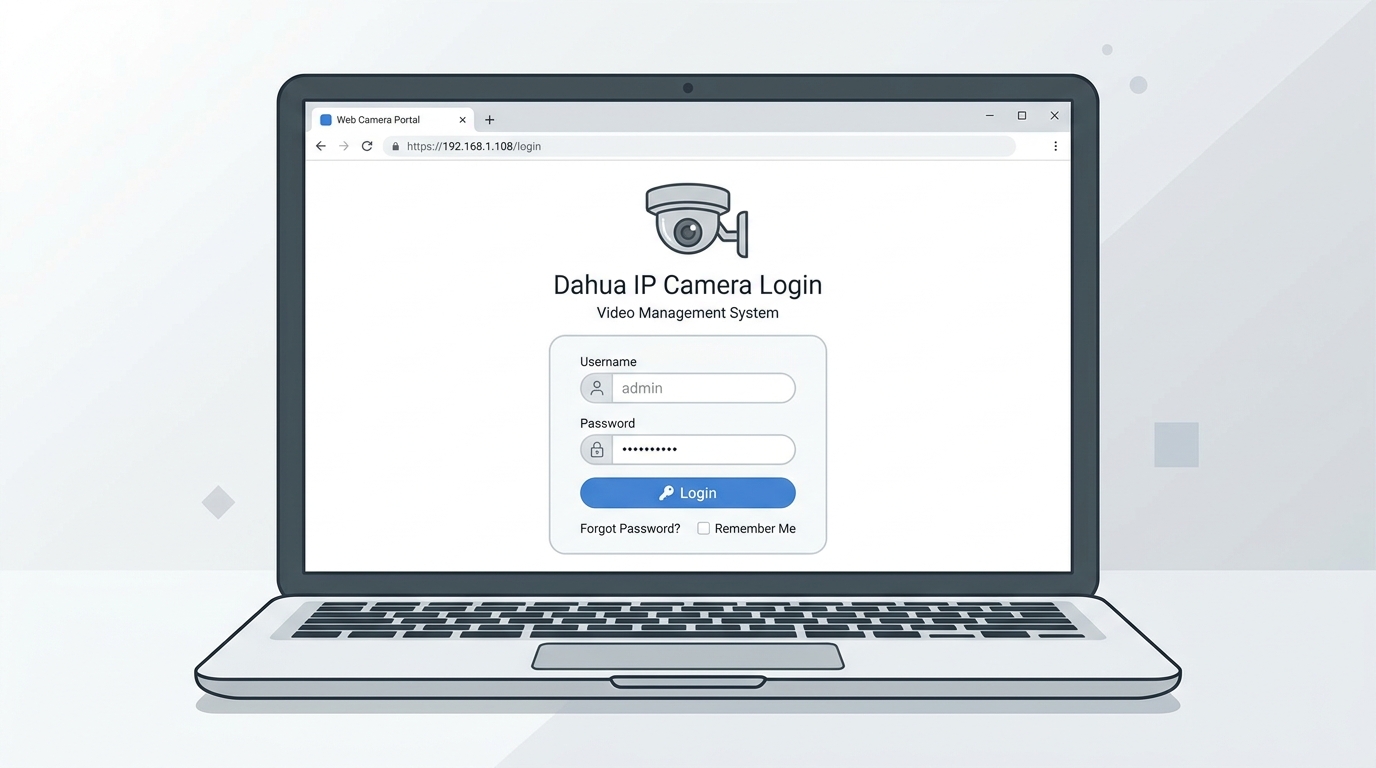
Dahua cameras are accessed through a standard browser login page. The default username is admin on all models, old and new.
Complete Dahua camera list by series
The tables below list active Dahua camera models sourced from the Dahua Wiki camera directory. Every model here is current production hardware running modern firmware. Username is admin across the board; the password is set during first-time initialization.
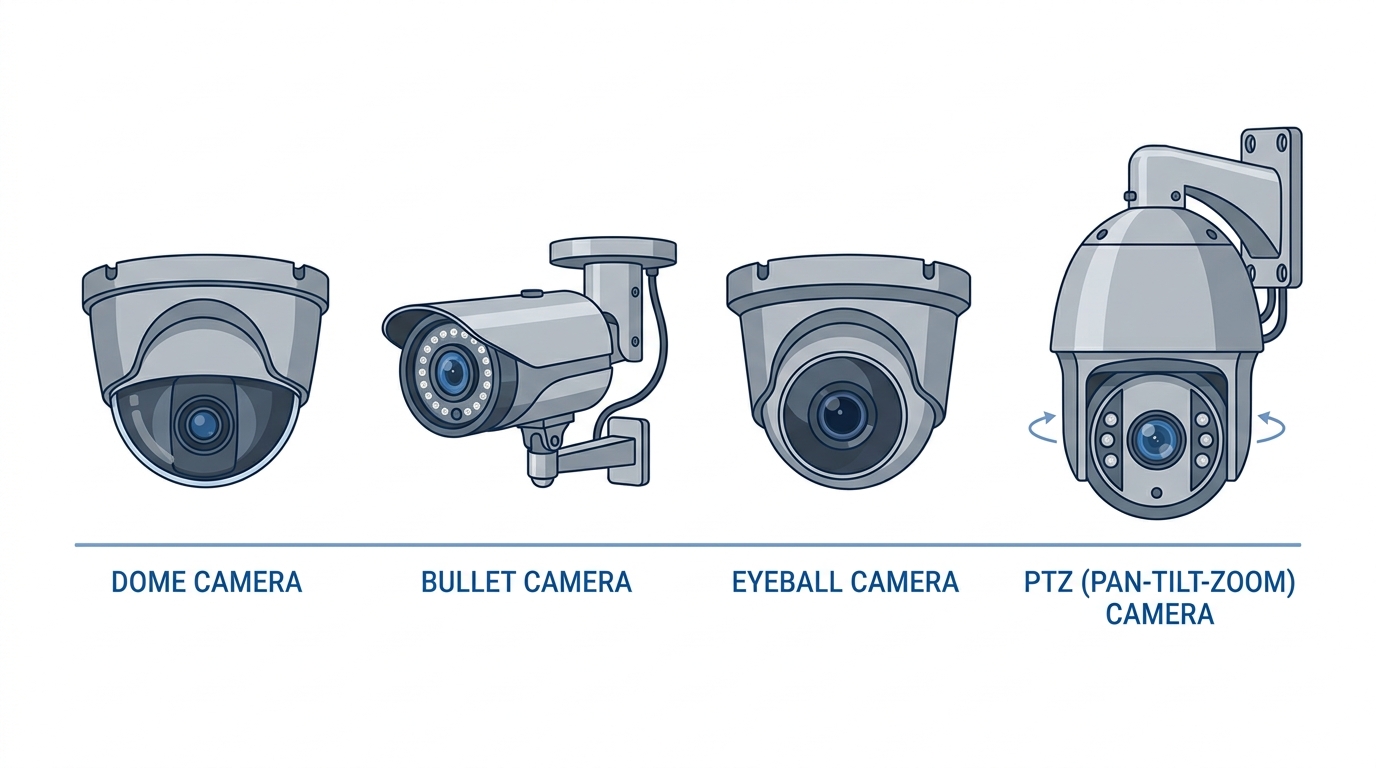
Dahua's lineup covers dome, bullet, eyeball, and PTZ form factors across Lite, Pro, and Ultra tiers.
Lite Series
The Lite Series is Dahua's entry-level line, aimed at retail, small offices, and residential installs. Models run 2MP to 8MP across dome, bullet, and eyeball housings.
| Model | Resolution | Type | Default username | Default password |
|---|---|---|---|---|
| N22AL12 | 2MP | Dome | admin | Set on initialization |
| N42BD32 | 4MP | Bullet | admin | Set on initialization |
| N42BJ62 | 4MP | Eyeball | admin | Set on initialization |
| N42BJ62-B | 4MP | Eyeball | admin | Set on initialization |
| N42DDS2 | 4MP | Bullet | admin | Set on initialization |
| N42DJS2 | 4MP | Eyeball | admin | Set on initialization |
| N43AB52 | 4MP | Bullet | admin | Set on initialization |
| N43AJ52 | 4MP | Eyeball | admin | Set on initialization |
| N43AJ52-B | 4MP | Eyeball | admin | Set on initialization |
| N43AL52 | 4MP | Dome | admin | Set on initialization |
| N43AL52-B | 4MP | Dome | admin | Set on initialization |
| N43AM5Z | 4MP | Dome | admin | Set on initialization |
| N43AM5Z-B | 4MP | Dome | admin | Set on initialization |
| N43AN52 | 4MP | Wedge | admin | Set on initialization |
| N43BB62 | 4MP | Bullet | admin | Set on initialization |
| N43BJ62 | 4MP | Eyeball | admin | Set on initialization |
| N43BU82 | 4MP | Eyeball | admin | Set on initialization |
| N43BU83 | 4MP | Eyeball | admin | Set on initialization |
| N43BX82 | 4MP | Bullet | admin | Set on initialization |
| N43BX8Z | 4MP | Bullet | admin | Set on initialization |
| N43CB62 | 4MP | Bullet | admin | Set on initialization |
| N43CG62 | 4MP | Eyeball | admin | Set on initialization |
| N43CL62-B | 4MP | Dome | admin | Set on initialization |
| N43CM6Z | 4MP | Eyeball | admin | Set on initialization |
| N41CJ02 | 8MP | Eyeball | admin | Set on initialization |
| N53AB52 | 5MP | Bullet | admin | Set on initialization |
| N53AF5Z | 5MP | Bullet | admin | Set on initialization |
| N53AJ52 | 5MP | Eyeball | admin | Set on initialization |
| N53AJ5Z | 5MP | Eyeball | admin | Set on initialization |
| N53AL52 | 5MP | Dome | admin | Set on initialization |
| N53AM5Z | 5MP | Dome | admin | Set on initialization |
| N53CB62 | 5MP | Bullet | admin | Set on initialization |
| N53CG62 | 5MP | Eyeball | admin | Set on initialization |
| N53CL62 | 5MP | Dome | admin | Set on initialization |
| N81CJ02 | 8MP | Eyeball | admin | Set on initialization |
| N82AL32 | 8MP | Dome | admin | Set on initialization |
| N82DDS2 | 8MP | Bullet | admin | Set on initialization |
| N82DJS2 | 8MP | Eyeball | admin | Set on initialization |
| N83BU82 | 8MP | Eyeball | admin | Set on initialization |
| N83BU82-B | 8MP | Eyeball | admin | Set on initialization |
| N83BX8Z | 8MP | Bullet | admin | Set on initialization |
Pro Series
The Pro Series targets commercial installs that need higher resolution, wider zoom ranges, or more rugged housings. Includes standard DH-IPC models alongside the N-series part numbers.
| Model | Resolution | Type | Default username | Default password |
|---|---|---|---|---|
| N24CG52 | 2MP | Eyeball | admin | Set on initialization |
| N25CL5Z | 2MP | Dome | admin | Set on initialization |
| N45BA5 | 4MP | Box | admin | Set on initialization |
| N45CB5Z | 4MP | Bullet | admin | Set on initialization |
| N45CL5Z | 4MP | Dome | admin | Set on initialization |
| N45CL5Z-B | 4MP | Dome | admin | Set on initialization |
| N45DB7Z | 4MP | Bullet | admin | Set on initialization |
| N45DL7Z | 4MP | Dome | admin | Set on initialization |
| N45DM62 | 4MP | Dome | admin | Set on initialization |
| N45DJ62 | 4MP | Eyeball | admin | Set on initialization |
| N45DUD2 | 8MP | Eyeball | admin | Set on initialization |
| N45EM63 | 4MP | Dome | admin | Set on initialization |
| N45EFN2 | 4MP | Bullet | admin | Set on initialization |
| N45EFNZ | 4MP | Bullet | admin | Set on initialization |
| N45EYN2 | 4MP | Dome | admin | Set on initialization |
| N45EYNZ | 4MP | Dome | admin | Set on initialization |
| N45FB7Z | 4MP | Bullet | admin | Set on initialization |
| N45FJ62 | 4MP | Eyeball | admin | Set on initialization |
| N45FJ6Z | 4MP | Eyeball | admin | Set on initialization |
| N45FL7Z | 4MP | Dome | admin | Set on initialization |
| N45FY62 | 4MP | Dome | admin | Set on initialization |
| N55DU82 | 5MP | Eyeball | admin | Set on initialization |
| N85CM5Z | 8MP | Eyeball | admin | Set on initialization |
| N85CL5Z | 8MP | Dome | admin | Set on initialization |
| N85CB5Z | 8MP | Bullet | admin | Set on initialization |
| N85DB6Z | 8MP | Bullet | admin | Set on initialization |
| N85DJ62 | 8MP | Eyeball | admin | Set on initialization |
| N85DJ6Z | 8MP | Eyeball | admin | Set on initialization |
| N85DL6Z | 8MP | Dome | admin | Set on initialization |
| N85DF62 | 8MP | Bullet | admin | Set on initialization |
| N85DY62 | 8MP | Dome | admin | Set on initialization |
| N85EFN2 | 8MP | Bullet | admin | Set on initialization |
| N85EUN2 | 8MP | Eyeball | admin | Set on initialization |
| N85FB6Z4 | 8MP | Bullet | admin | Set on initialization |
| N85FB7Z | 8MP | Bullet | admin | Set on initialization |
| N85FF62 | 8MP | Bullet | admin | Set on initialization |
| N85FJ62 | 8MP | Eyeball | admin | Set on initialization |
| N85FJ6Z | 8MP | Eyeball | admin | Set on initialization |
| N85FL6Z4 | 8MP | Dome | admin | Set on initialization |
| N85FL7Z | 8MP | Dome | admin | Set on initialization |
| N85FY62 | 8MP | Dome | admin | Set on initialization |
| DH-IPC-HFW5842EN-Z4E-S2 | 8MP | Bullet | admin | Set on initialization |
| DH-IPC-HDBW5842EN-Z4E-S2 | 8MP | Dome | admin | Set on initialization |
| DH-IPC-HDBW5831EN-Z5E | 8MP | Dome | admin | Set on initialization |
| DH-IPC-HCBW8442N | 4MP | Corner | admin | Set on initialization |
| DH-IPC-HUM8431N-E1 | 4MP | Pinhole | admin | Set on initialization |
Ultra Series
The Ultra tier is for high-resolution and specialty installs: 12MP box cameras, fisheye, dual-sensor units, and the longer-zoom variants that don't fit the standard lineup.
| Model | Resolution | Type | Default username | Default password |
|---|---|---|---|---|
| N28BB7Z | 2MP | Bullet | admin | Set on initialization |
| N28BL7Z | 2MP | Dome | admin | Set on initialization |
| N68BB7Z | 6MP | Bullet | admin | Set on initialization |
| N68BL7Z | 6MP | Dome | admin | Set on initialization |
| NK8BA4 | 12MP | Box | admin | Set on initialization |
| NK8BL7Z | 12MP | Dome | admin | Set on initialization |
| EBW81242N | 12MP | Fisheye | admin | Set on initialization |
| DH-IPC-HDW8441X-3D | 4MP×2 | Dual-Sensor | admin | Set on initialization |
| DH-IPC-HF8835FN | 8MP | Box | admin | Set on initialization |
| DH-IPC-HFW7442H-ZFR | 4MP | Bullet | admin | Set on initialization |
| DH-IPC-HDBW7442H-ZFR | 4MP | Dome | admin | Set on initialization |
| DH-IPC-HUM8441-E1-L4 | 4MP | Pinhole | admin | Set on initialization |
PTZ Series
PTZ cameras are used for wide-area coverage where remote pan/tilt/zoom control matters: parking structures, stadiums, large perimeters.
| Model | Resolution | Zoom | Default username | Default password |
|---|---|---|---|---|
| Lite PTZ | ||||
| 1A404DBNR | 4MP | 4× | admin | Set on initialization |
| Pro PTZ | ||||
| 4A425DBNR | 4MP | 25× | admin | Set on initialization |
| 5A445GBNR | 4MP | 45× | admin | Set on initialization |
| 49425GBNR | 4MP | 25× | admin | Set on initialization |
| 5A825GANR | 8MP | 25× | admin | Set on initialization |
| 6C3425XBPV | 4MP | 25× | admin | Set on initialization |
| 50430UNI | 4MP | 30× | admin | Set on initialization |
| 50432XANR | 4MP | 32× | admin | Set on initialization |
| 52C232XANR | 2MP | 32× | admin | Set on initialization |
| 52C430UNI | 4MP | 30× | admin | Set on initialization |
| 52C432XANR | 4MP | 32× | admin | Set on initialization |
| 59230UNI | 2MP | 30× | admin | Set on initialization |
| 59430UNI | 4MP | 30× | admin | Set on initialization |
| 6C430UNI | 4MP | 30× | admin | Set on initialization |
| 6CE230UNI | 2MP | 30× | admin | Set on initialization |
| 50232XANR | 2MP | 30× | admin | Set on initialization |
| Ultra PTZ | ||||
| 6AE530UNI | 5MP | 30× | admin | Set on initialization |
| 6AL245UNI | — | 245× | admin | Set on initialization |
| 8A840PANF | 8MP | 40× | admin | Set on initialization |
Default Dahua network settings
You'll also need the camera's IP address before you can reach the web interface. Out of the box, Dahua cameras use these defaults:
| Setting | Default value |
|---|---|
| IP address | 192.168.1.108 |
| HTTP port | 80 |
| TCP port | 37777 |
| RTSP port | 554 |
| RTSP URL | rtsp://admin:[password]@192.168.1.108:554/cam/realmonitor?channel=1&subtype=0 |
If your network runs on a different subnet (say, 192.168.0.x), the camera won't be reachable until you change its IP. The cleanest way to handle this before the camera is on your network is Dahua's free ConfigTool, which finds Dahua devices via local broadcast even if there's an IP conflict.
How to log in to your Dahua camera
Once you have the IP address, get to the login page like this:
- Open a browser and go to
http://[camera-ip], for examplehttp://192.168.1.108 - On first-time setup, the initialization wizard appears before the login screen. Set a password for
adminand write it down. - After initialization, the login page loads. Enter
adminand your password. - Depending on firmware, you may be asked to install a browser plugin (older IE-based interface) or can use the HTML5 interface directly in Chrome or Edge.
Modern Dahua firmware works fine in Chrome and Edge with no plugins. Older firmware versions may need Internet Explorer or a client like SmartPSS Lite.
What to do when you forget your Dahua password
If the admin password has been lost or changed by someone else, there are two ways out.
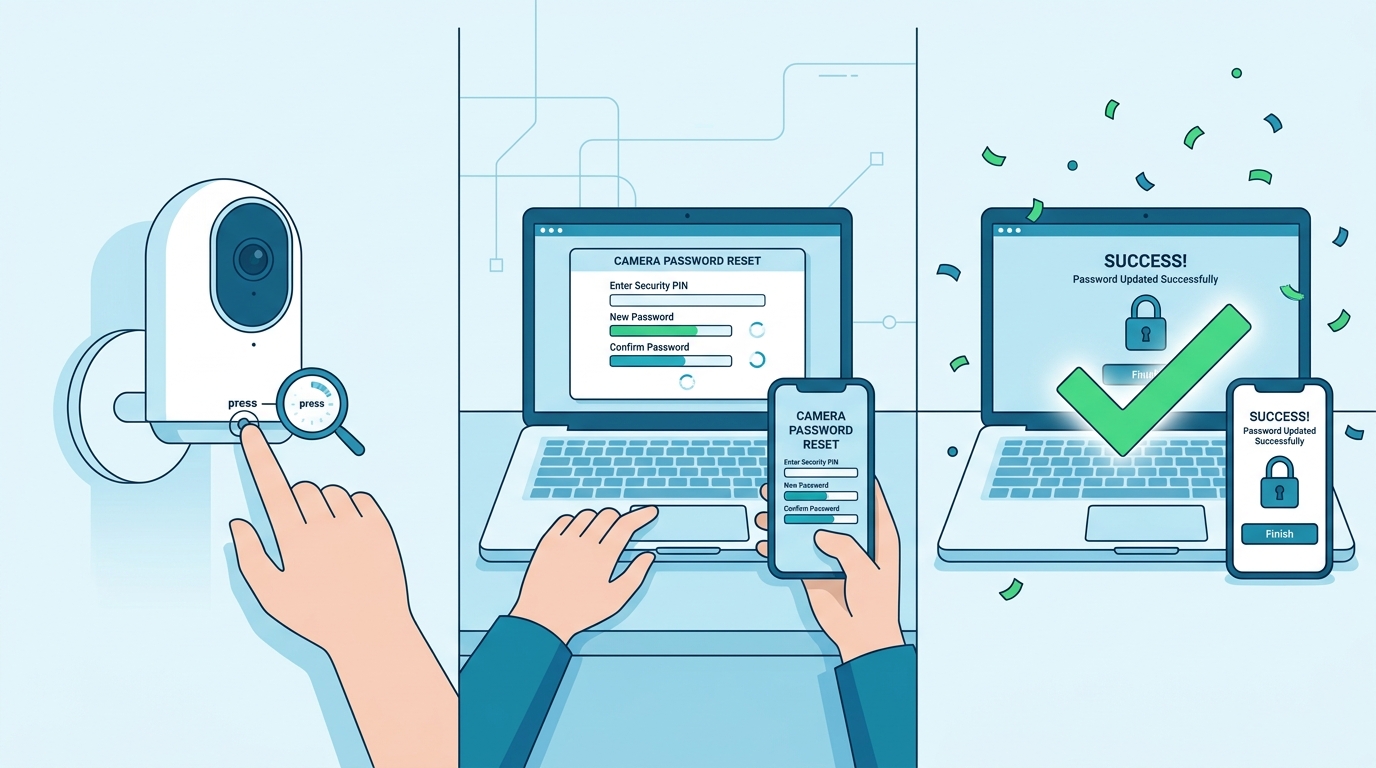
Forgotten Dahua passwords can be recovered via security questions or, when that wasn't set up, a physical reset.
Option 1: Recovery via security questions or email
If security questions or a recovery email were configured during initialization, click Forgot Password on the login page and work through the prompts. No physical access to the camera needed.
Option 2: Hardware factory reset
If security questions were skipped, a physical reset is the only option. Find the recessed reset button on the camera (a pin or paperclip works), hold it for 10–15 seconds with the camera powered on, and it will reboot into an uninitialized state. You'll be asked to set a new password on next access.
One catch: a factory reset wipes everything — IP settings, recording schedules, motion zones. Budget time for reconfiguration.
Streaming your Dahua camera live once you're in
Once the login is sorted, a common next step is getting the live feed onto a website or pushing it to YouTube, Facebook, or Instagram. Dahua cameras output an RTSP stream — the standard format for IP cameras. The URL pattern is:
rtsp://admin:[your-password]@[camera-ip]:554/cam/realmonitor?channel=1&subtype=0
Browsers can't play RTSP natively; they need HLS. OctoStream handles that conversion. You paste in the RTSP URL, and OctoStream transcodes and packages it into a browser-playable HLS stream with an embeddable player you can drop into any webpage. It can also restream the same feed simultaneously to YouTube Live, Facebook Live, Twitch, or Instagram — same source, multiple outputs.
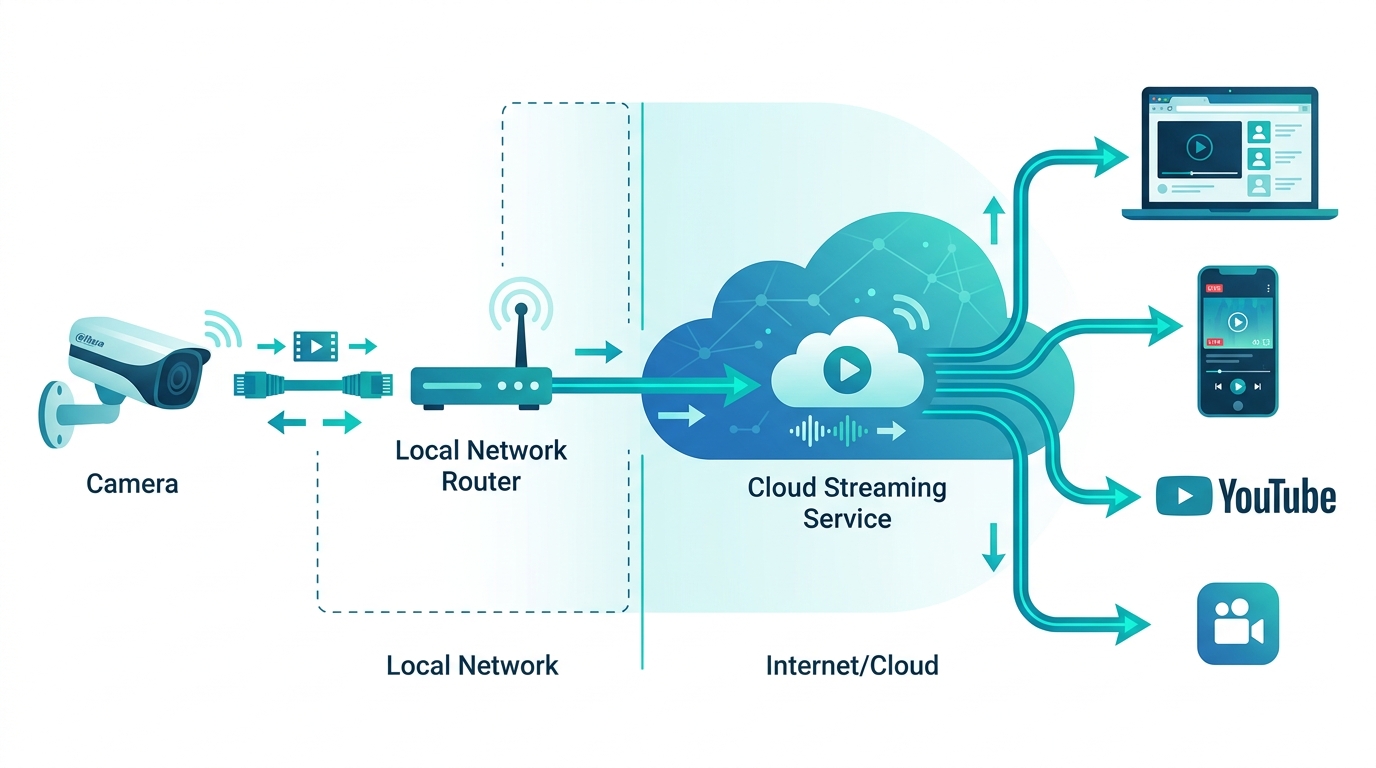
OctoStream converts the Dahua RTSP feed into a browser-playable HLS stream and can simultaneously push it to live platforms.
This works with every camera in the tables above — anything that outputs RTSP. There's nothing to install on the camera itself. OctoStream's free tier supports one camera at 100 MB/day, which is enough to verify the whole pipeline before choosing a plan.
Frequently asked questions
What is the default Dahua username?
admin on every model, old and new. The username can't be changed on most Dahua devices; only the password can.
What is the default Dahua password?
On older hardware (pre-2015 firmware), the default password for the admin account is admin. On newer devices, there's no preset password — you create one during initialization when the camera is first powered on or factory reset.
What are the 888888 and 666666 Dahua accounts?
Legacy built-in accounts on older DVRs and cameras. 888888 is a local admin account that only works via a directly connected monitor, not through a browser. 666666 is view-only with no configuration access. Both were removed in firmware updates around 2015.
What is the default IP address for Dahua cameras?
192.168.1.108. If your router uses a different subnet, use Dahua's ConfigTool to find and reconfigure the camera before trying the browser login.
Can I embed my Dahua camera feed on a website?
Yes. Dahua cameras output RTSP, which OctoStream can convert to an embeddable HLS player. Viewers watch it in any browser with no plugins. You can also restream the same feed to YouTube, Facebook, and other platforms at the same time.
How do I reset a forgotten Dahua password?
Use the Forgot Password link on the login page if security questions were set up during initialization. If not, hold the physical reset button on the camera for 10–15 seconds (camera powered on) to restore factory defaults, then set a new password during re-initialization.
What RTSP URL format does Dahua use?
rtsp://admin:[password]@[camera-ip]:554/cam/realmonitor?channel=1&subtype=0
Use subtype=0 for the main stream (full resolution) and subtype=1 for the sub-stream (lower resolution, lower bandwidth).